<?xml version="1.0" encoding="utf-8"?>
<feed xmlns="http://www.w3.org/2005/Atom">

  <title><![CDATA[Aron Cedercrantz]]></title>
  <link href="http://aron.cedercrantz.com/atom.xml" rel="self"/>
  <link href="http://aron.cedercrantz.com/"/>
  <updated>2013-01-24T23:39:02+01:00</updated>
  <id>http://aron.cedercrantz.com/</id>
  <author>
    <name><![CDATA[Aron Cedercrantz]]></name>
    
  </author>
  <generator uri="http://octopress.org/">Octopress</generator>

  
  <entry>
    <title type="html"><![CDATA[CDMedallionView]]></title>
    <link href="http://aron.cedercrantz.com/2012/11/22/cdmedallionview/"/>
    <updated>2012-11-22T16:08:00+01:00</updated>
    <id>http://aron.cedercrantz.com/2012/11/22/cdmedallionview</id>
    <content type="html"><![CDATA[<p>Today I “released” a small OS X user interface component called <a href="https://github.com/rastersize/CDMedallionView">CDMedallionView</a>. It is a subclass of <code>NSImageView</code> which has been styled to look like the image view on the login screen of OS X Lion and Mountain Lion</p>

<p><img src="http://cloud.github.com/downloads/rastersize/CDMedallionView/CDMedallionView@2x.png" alt="Screenshot of the test app showing the medallion view in three different sizes" width="408px" height="336px" class="center no-border"></p>

<p>It should work on OS X 10.6 and up and it supports retina screens. To build the source you need ARC (must at least be enabled for the <code>CDMedallionView.m</code> file).</p>

<h2>Using the Class</h2>

<p>As <code>CDMedallionView</code> is a subclass of <code>NSImageView</code> you can use it as you would use an <code>NSImageView</code> instance. For example in code;</p>

<pre><code>CDMedallionView *medallionImageView = [[CDMedallionView] alloc] init];
medallionImageView.frame = NSMakeRect(0.f, 0.f, 60.f, 60.f);
medallionImageView.image = /* some NSImage instance */; 
medallionImageView.borderWidth = 2.f; // Default is 4.0.

[self.view addSubview:medallionImageView];
</code></pre>

<p>The class can also used via interface builder, drag out an <code>NSImageView</code> and using the “Identity” inspector (⌘+⌥+3) set the class to <code>CDMedallionView</code>. You can then configure it as you please using the other inspector panels. To change the shine, shadow and border width and color create an outlet to the view and then set those in code.</p>

<h2>Getting the Code</h2>

<p>You can get the component from the <a href="https://github.com/rastersize/CDMedallionView">GitHub project <em>rastersize/CDMedallionView</em></a> where you can also create issues and pull requests if you find any problems or opportunity to improve. The code is available under the <em>MIT license</em>. See <a href="https://github.com/rastersize/CDMedallionView/blob/master/LICENSE">the license file</a> for more information.</p>
]]></content>
  </entry>
  
  <entry>
    <title type="html"><![CDATA[CDEvents updated]]></title>
    <link href="http://aron.cedercrantz.com/2012/11/21/cdevents-updated/"/>
    <updated>2012-11-21T21:13:00+01:00</updated>
    <id>http://aron.cedercrantz.com/2012/11/21/cdevents-updated</id>
    <content type="html"><![CDATA[<p>So my “old” framework <a href="http://rastersize.github.com/CDEvents/"><strong>CDEvents</strong></a> turned two and a half less than a month ago 🎉 and today it got updated to a whooping version 1.2.0. This brings the power of ARC and blocks (which have been in the <code>develop</code> branch for quite some time). It also raises the OS X deployment target to 10.6 and drops support for the now deprecated garbage collection.</p>

<p>Thanks to <a href="https://github.com/JustSid">JustSid</a>, <a href="https://github.com/tonyxiao">tonyxiao</a> and <a href="https://github.com/dwlnetnl">dwlnetnl</a> for their contributions and helping to squash some bugs as well as improve the framework.</p>

<p>You can get it from its GitHub page, <a href="https://github.com/rastersize/CDEvents">rastersize/CDEvents</a>, and the <a href="http://rastersize.github.com/CDEvents/docs/api/">API documentation</a> has been updated.</p>

<p>(The project is still <a href="https://github.com/rastersize/CDEvents/blob/develop/LICENSE">licensed</a> under the MIT license.)</p>
]]></content>
  </entry>
  
  <entry>
    <title type="html"><![CDATA[The Icons of CoRD]]></title>
    <link href="http://aron.cedercrantz.com/2012/08/14/the-icons-of-cord/"/>
    <updated>2012-08-14T03:30:00+02:00</updated>
    <id>http://aron.cedercrantz.com/2012/08/14/the-icons-of-cord</id>
    <content type="html"><![CDATA[<p>A little over a month ago I had quite a lot of time to myself so I decided to <a href="https://github.com/dorianj/CoRD/pull/17">update the graphics of an open source application</a> to be compatible with retina Mac screens<sup id='fnref:1'><a href='#fn:1' rel='footnote'>1</a></sup>. I choose an application which I  frequently use and which would otherwise probably not have been updated, namely <a href="http://cord.sourceforge.net">CoRD</a> (the screenshot on their site is not up to date). My intention was to get this post up sooner but due to some issues with getting <a href="http://octopress.org/">Octopress</a>, ruby and the ruby gems to work it has been delayed by a few weeks<sup id='fnref:2'><a href='#fn:2' rel='footnote'>2</a></sup>…</p>

<p>CoRD is a native remote desktop client for Mac OS X and allows you the user to connect to Windows machines over the <em><a href="http://en.wikipedia.org/wiki/Remote_Desktop_Protocol">Remote Desktop Protocol</a></em> (RDP). There is also the official client by Microsoft but it keeps crashing for me, especially when quitting it, and it does not have a built-in server list. Two things which CoRD provides.</p>

<p>Sadly CoRD has received less updates as time has passed by. A transition to <a href="http://www.freerdp.com">FreeRDP</a>, which is mostly required, has been planned for quite a few years now. As such I felt that the only way for me to not have to suffer while looking at the user interface graphics as well as the application icon was to fix them myself. Initially I planned to just update the existing original graphics files for retina and then re-export them as an additional <code>@2x</code> file. This did not happen.</p>

<p>As I initially could not find the original graphics files I set out to re-create them instead, from the ground up. When at the last icon, I was unable to find a way to make the application show it in use so I looked around on the website for a screenshot of it and stumbled upon a ZIP file with the originals. Thus that last, <em>clock</em>, icon was more or less the original scaled to <code>@2x</code>. More on the user interface graphics later, now on to the application icon.</p>

<h2>Application Icon</h2>

<p>The original application icon file did obviously not contain any retina assets since the icon was created long before Apple settled down and decided to go the iOS way with <code>@2x</code>. If you are view this page on a retina screen you should be able to recognise the blurryness of the original application icon shown below.</p>

<p><img class="center no-border" src="http://aron.cedercrantz.com/images/CoRD/Old_icon-512x512.png" width="512" height="512" title="The old CoRD application icon" ></p>

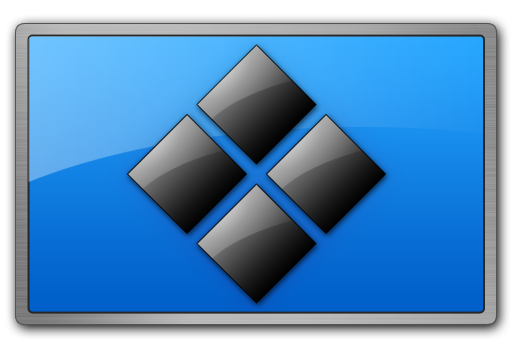
<p>The intention with the new application icon was to capture the look and feel of the old icon – to make users used to the old versions feel at home – while still making it feel new and shiny. Furthermore the goal was to make the icon show how CoRD bridges OS X and Windows and it being a utility application.</p>

<p><a href="http://aron.cedercrantz.com/images/CoRD/New_icon-512x512@2x.png"><img class="center no-border" src="http://aron.cedercrantz.com/images/CoRD/New_icon-512x512@2x.png" width="512" height="512" title="The new CoRD application icon" ></a></p>

<p>The icon tries to convey that it bridges the gap between OS X and Windows by utilising the starry, galaxy styled photos Apple use as desktop backgrounds by default in OS X. In turn the black cubes both reflect the connection to the <a href="http://www.microsoft.com/presspass/images/gallery/logos/web/Windows7_v_Web.jpg">Windows</a> flags as well as the old application icon. Lastly the type of frame matches the utility application icon frame used in OS X. The frame matches that of the <em><a href="http://upload.wikimedia.org/wikipedia/en/2/23/System_Preferences_icon.png">System Preferences</a></em> icon quite closely. The new icon also fits a lot better in the dock, taking up the same amount of vertical space as Apple’s icons.</p>

<p>Even though the icon is almost completely made using vector shapes and layer effects in Photoshop, exporting it to 10 different sizes was a real chore… Well OK, the 16-by-16 pixel <code>@1x</code> icon was created separately. See it below, preferably on a <code>@1x</code> screen as it will look blurry on a <code>@2x</code> screen due to scaling.</p>

<p><img class="center no-border" src="http://aron.cedercrantz.com/images/CoRD/New_icon-16x16.png" width="16" height="16" title="The new CoRD application icon 16px version" ></p>

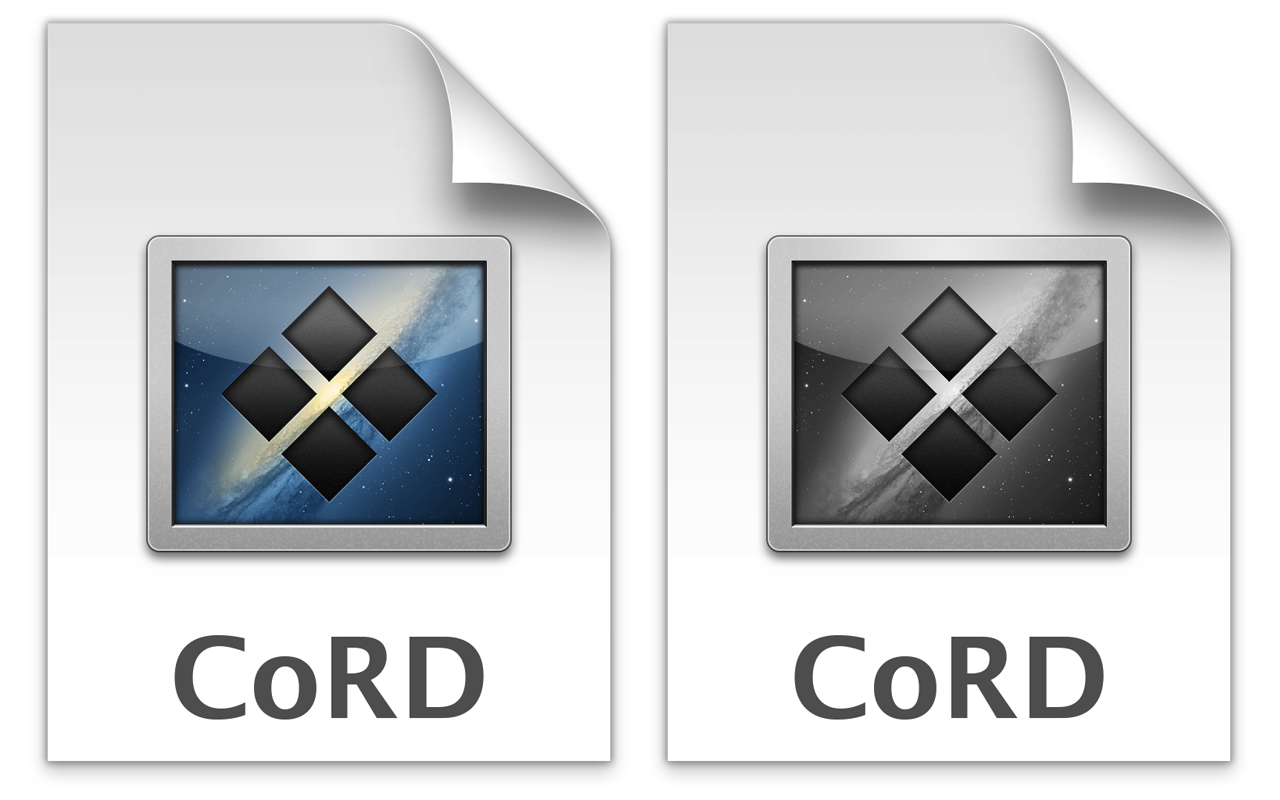
<p>The application icon was also used a the basis for the new document icons. They are very much standard (compliant) white sheets of paper with a curled corner with the application icon in the middle. Another 10 exports in color and 10 in grayscale.</p>

<p><img class="center no-border" src="http://aron.cedercrantz.com/images/CoRD/New_document_icons.png" width="640" height="400" title="The new CoRD document icons" ></p>

<h2>User Interface Graphics</h2>

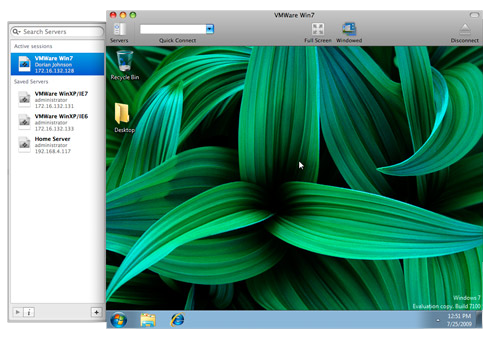
<p>While updating the user interface graphics I tried to keep them somewhat similar to how the looked previously. Although some things were revamped, such as the next and previous session buttons which now use standard controls instead of being round custom <em>butcons</em>.</p>

<p><img class="center no-border" src="http://aron.cedercrantz.com/images/CoRD/Old_screenshot.png" width="500" height="353" title="Screenshot of CoRD using the old user interface graphics" ></p>

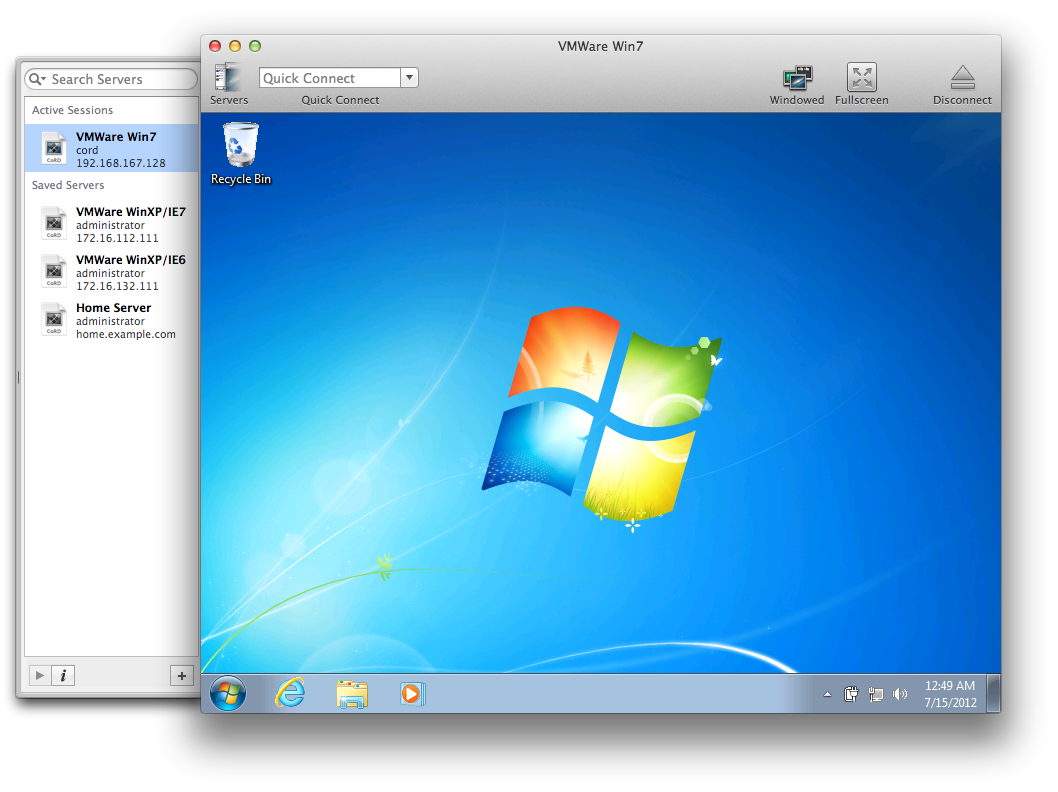
<p>The new icons are, like with the application icon, intended to look quite similar to previous ones but with a more updated look. Not a lot to say about them besides that the <code>@2x</code> versions look better than the <code>@1x</code>.</p>

<p><a href="http://aron.cedercrantz.com/images/CoRD/New_screenshot.png"><img class="center no-border" src="http://aron.cedercrantz.com/images/CoRD/New_screenshot.png" width="529" height="396" title="Screenshot of CoRD using the new user interface graphics" ></a></p>

<p>You can check them all out by visiting <a href="https://github.com/dorianj/CoRD">CoRD’s GitHub project page</a> or by <a href="http://cord.sourceforge.net">downloading CoRD</a> and running it directly. The Photoshop files are located in the <code>GraphicsOriginals</code> directory in the root, except for the application icon where the <code>.psd</code> files are located in <code>Resources/App Icon</code>, while the exported <code>.png</code> images exist in the <code>Resources</code> directory.</p>

<p>All the icons and graphics are licensed under the <a href="http://creativecommons.org/licenses/by-nc-sa/3.0/us/"><em>Attribution-NonCommercial-ShareAlike 3.0 United States</em> (CC BY-NC-SA 3.0)</a> and the copyright belongs to Aron Cedercrantz.</p>

<div class="footnotes">
    <ol>
        <li id='fn:1'>I strongly recommend viewing this post on a retina enabled device, such as the MacBook Pro Retina or the 3rd generation iPad. <a href='#fnref:1' rev='footnote'>↩</a></li><li id='fn:2'>No need to mention the eight month gap between this and the posts before it :) <a href='#fnref:2' rev='footnote'>↩</a></li>
    </ol>
</div>


]]></content>
  </entry>
  
  <entry>
    <title type="html"><![CDATA[New blog theme]]></title>
    <link href="http://aron.cedercrantz.com/2011/12/29/new-blog-theme/"/>
    <updated>2011-12-29T19:35:00+01:00</updated>
    <id>http://aron.cedercrantz.com/2011/12/29/new-blog-theme</id>
    <content type="html"><![CDATA[<p>I have redesigned this site again as I were not happy with the old look =). This time I took the liberty of creating a custom theme instead of just dumping an extreme amount of CSS rules into the <code>styles.css</code>. The custom theme approach probably required more effort than just hacking the classic theme but I am hoping it will prove easier to maintain and update.</p>

<p>Stuff left to fix are the code blocks which currently look quite awful, as well as the tables. That will have to wait though.</p>

<p><strong>Update:</strong> Slightly updated today (2012-08-13); whiter, more space, new header and red instead of blue.</p>
]]></content>
  </entry>
  
  <entry>
    <title type="html"><![CDATA[Got my Wacom Inkling today]]></title>
    <link href="http://aron.cedercrantz.com/2011/12/17/got-my-wacom-inkling-today/"/>
    <updated>2011-12-17T23:43:00+01:00</updated>
    <id>http://aron.cedercrantz.com/2011/12/17/got-my-wacom-inkling-today</id>
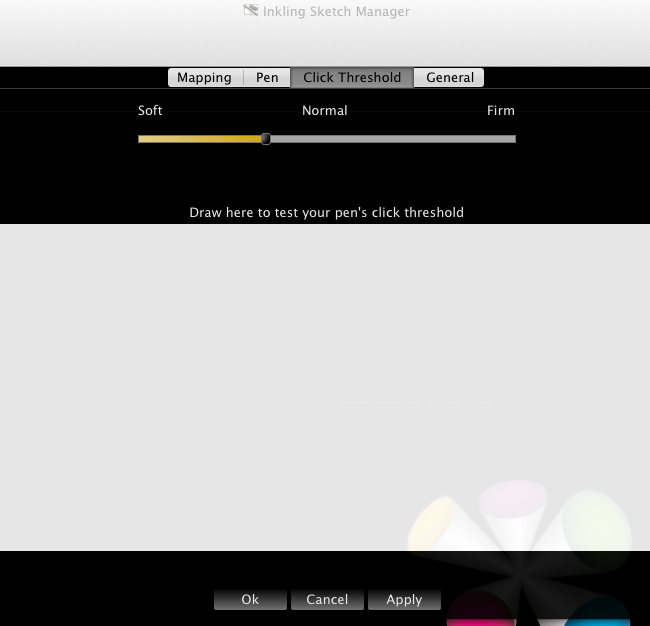
    <content type="html"><![CDATA[<p><img class="right" src="http://aron.cedercrantz.com/images/Inkling_Sketch_Manager-Draw_here.png" width="325" height="313" title="'Inkling Sketch Manager Please Draw on Your Screen'" ></p>

<p>So far I must say I like the pen but the Mac OS X application needs to be completely redesigned. It looks and acts terrible. What else can you say when it asks you to draw on your screen to calibrate the pressure sensitivity. Copy-paste job from their more traditional tablets maybe?</p>

<p>No it is not pretty.</p>

<p>I will try and post what I think of the pen when I have used it some more. Check this space for a new blog post on the subject in the future!</p>
]]></content>
  </entry>
  
  <entry>
    <title type="html"><![CDATA[Convert between XPC objects and Objective-C objects]]></title>
    <link href="http://aron.cedercrantz.com/2011/12/17/convert-between-xpc-objects-and-objective-c/"/>
    <updated>2011-12-17T22:24:00+01:00</updated>
    <id>http://aron.cedercrantz.com/2011/12/17/convert-between-xpc-objects-and-objective-c</id>
    <content type="html"><![CDATA[<p><code>ObjectToXPC</code> is a small open source project I hacked together today. It simplifies the conversion between a few Objective-C classes and the &#8220;new” <em>XPC</em> objects. The library also comes with unit tests which covers quite a few scenarios, woop woop!</p>

<p>So that might be cool but what is <em>XPC</em>? XPC is new technology from Apple introduced in Mac OS X 10.7 (not publically available in iOS). It allows you to separate your application in different logical parts – services. These services all run as individual processes. Furthermore, each logical part can have a unique set of sandbox privileges. For example you can have one XPC service for network based communication and another for creating a ZIP-file of some downloaded data. Thus the technology can help yoy make your application more stable and secure.</p>

<h2>Supported Types</h2>

<p><code>ObjectToXPC</code>supports a few basic <em>Objective-C</em> classes and most <em>XPC Object</em> types.</p>

<h3>Objective-C</h3>

<p><code>ObjectToXPC</code>will allow you to convert instances of the following Objective-C classes to and from XPC Objects;</p>

<ul>
<li><code>NSArray</code> <span class="meta"><em>(where the elements are one of the supported)</em></span>,</li>
<li><code>NSData</code>,</li>
<li><code>NSDate</code>,</li>
<li><code>NSDictionary</code> <span class="meta"><em>(where the elements are one of the supported, keys must either be of the NSString class or define the <code>-description</code> method)</em></span>,</li>
<li><code>NSNull</code> <span class="meta"><em>(only in collections)</em></span>,</li>
<li><code>NSNumber</code>,</li>
<li><code>NSString</code>.</li>
</ul>


<p>If you try to convert an <code>NSArray</code> or a <code>NSDictionary</code> instance which contains an object which we can not convert (<em>i.e.</em> if the method <code>-XPCObject</code> is not implemented) the project will halt via an assertion. But only if the <code>DEBUG</code> macro has been set. Otherwise an error will only be logged to the console via <code>NSLog()</code> and program execution will continue with the object being skipped.</p>

<h3>XPC Objects</h3>

<p>The following types of XPC Objects can be converted to and from the previously mentioned Objective-C classes (via for example <code>-initWithXPCObject:</code>);</p>

<ul>
<li><code>XPC_TYPE_ARRAY</code>,</li>
<li><code>XPC_TYPE_BOOL</code>,</li>
<li><code>XPC_TYPE_DATA</code> <span class="meta"><em>(to and from <code>NSNumber</code>)</em></span>,</li>
<li><code>XPC_TYPE_DATE</code>,</li>
<li><code>XPC_TYPE_DICTIONARY</code>,</li>
<li><code>XPC_TYPE_DOUBLE</code> <span class="meta"><em>(to and from <code>NSNumber</code>)</em></span>,</li>
<li><code>XPC_TYPE_INT64</code> <span class="meta"><em>(to and from <code>NSNumber</code>)</em></span>,</li>
<li><code>XPC_TYPE_UINT64</code> <span class="meta"><em>(to and from <code>NSNumber</code>)</em></span>,</li>
<li><code>XPC_TYPE_NULL</code>,</li>
<li><code>XPC_TYPE_STRING</code>.</li>
</ul>


<h2>Get the Code</h2>

<p>You can find the project and the glorious source code on the <a href="https://github.com/rastersize/ObjectToXPC">GitHub project page</a>. Feel free to fork, add and fix stuff which I have missed or forgotten. Feel free to send me a pull request, I will happily intergrate it (if it looks OK)! The Xcode project file currently contains one dynamic library target and one unit test target.</p>

<p>To use it you can either link with the library or copy the source files manually into you project. You need all the <code>.h</code> and <code>.m</code> files found in the <code>Source</code> directory in case you opt for the latter case. As the XPC API was introduced in OS X 10.7 the project requires OS X 10.7 or newer, big suprise there. This is required both for building the project (with Xcode 4.2+ and ARC turned on) as well as running it. <code>ObjectToXPC</code> will not build for, or run on, the iOS platform as XPC Services does not exist (publically) on it.</p>

<h2>License</h2>

<p>The project is licensed under the &#8220;Simplified BSD license&#8221; (2-clause), for the exact terms please see the <a href="https://github.com/rastersize/ObjectToXPC/blob/master/LICENSE">LICENSE file</a> in the repository.</p>

<h2>Bugs and Other Reports</h2>

<p>Please file any bug reports in the <a href="https://github.com/rastersize/ObjectToXPC/issues">issue tracker for ObjectToXPC</a> on GitHub or even better fix it and then send me a pull request, also via <a href="https://github.com/">GitHub</a>.</p>

<p>Have you created an application which use any of my <a href="https://github.com/rastersize">open source projects</a> (including ObjectToXPC)? Please tell me about it. Not because you have to but because I would love to know! My <a href="http://aron.cedercrantz.com/about">contact details</a> are available on <a href="http://aron.cedercrantz.com/about">my about page</a>.</p>
]]></content>
  </entry>
  
</feed>